
Why Are My Phone Photos Not Sharp?
Phone cameras are very good now, so when a photo isn’t sharp it can feel frustrating. The reason is usually quite simple, but because the phone is doing most of the work for you, it’s not always obvious what’s gone wrong.
In most cases, a few small changes make a noticeable difference.
1. Tell your phone what to focus on
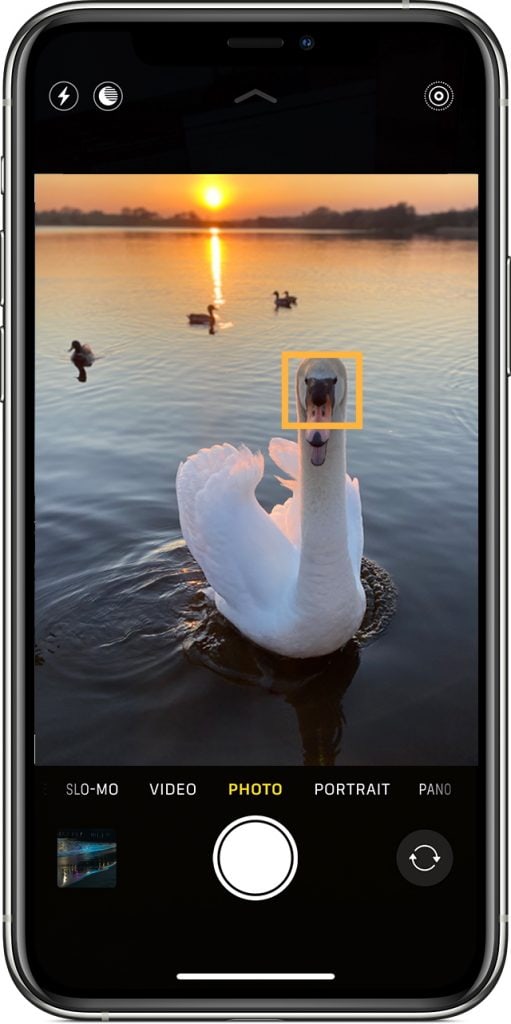
Your phone will automatically focus for you, but it doesn’t always choose the subject you had in mind. Most phones will prioritise faces if they’re visible, or simply pick what looks most prominent in the scene.
That’s why it’s important to move beyond simply pointing and shooting, and start taking more control.
Before taking the photo, tap on your subject on the screen. This tells the phone exactly where to focus and will immediately improve sharpness in most situations.
If part of your image is sharp but not the part you intended, this is usually the reason.
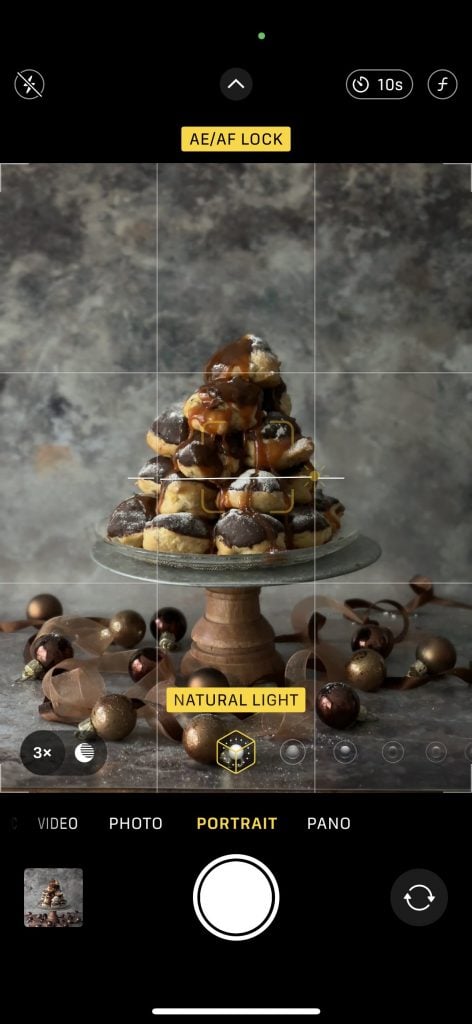
2. Use AE/AF lock to keep control

3. Slow down!
Phones are quick, and it’s easy to just lift them and take a shot.
But giving yourself a second to tap to focus, hold the phone steady and take the photo carefully will make a real difference.
If your photos are often slightly soft, this is one of the simplest things to improve.
4. Be aware of movement, especially in low light
If you’re indoors or shooting in the evening, your phone uses a slower shutter speed. That means any movement - from you or your subject - can cause blur.
If this is happening:
hold the phone with both hands
steady it against something if you can
or take the photo when your subject pauses
This is often the reason photos look soft in restaurants or at home.
5. Make sure the lens is clean
Because your phone is handled all the time, the lens easily picks up fingerprints and smudges. If your images look slightly hazy this is often the cause. A quick wipe before taking a photo can make a surprising difference.
6. If you want to go a bit further
Most modern phones do have more advanced options, but they are often hidden or work slightly differently depending on the model. It’s worth spending a few minutes searching for your specific phone, for example:
“iPhone 16 focus settings photography”
“Samsung Galaxy autofocus tracking how to use”
“Google Pixel camera focus tips”
Look out for features like 'subject or focus tracking', 'exposure and focus lock' or 'advanced focus settings'. A short YouTube video for your exact phone model is often the quickest way to understand what’s available and how to use it.
But to be honest I've found that my phone (iPhone 17 pro) focuses fast and accurately, especially if I use the tips above. It's worked brilliantly in this shot where I'm being bounced along on a hard sledge pulled at speed by huskies in Finland!

If you’d like to get more confident using your phone camera and understand how to get the best out of it in different situations, my phone photography workshops cover this in a simple, practical way.
No comments yet.