

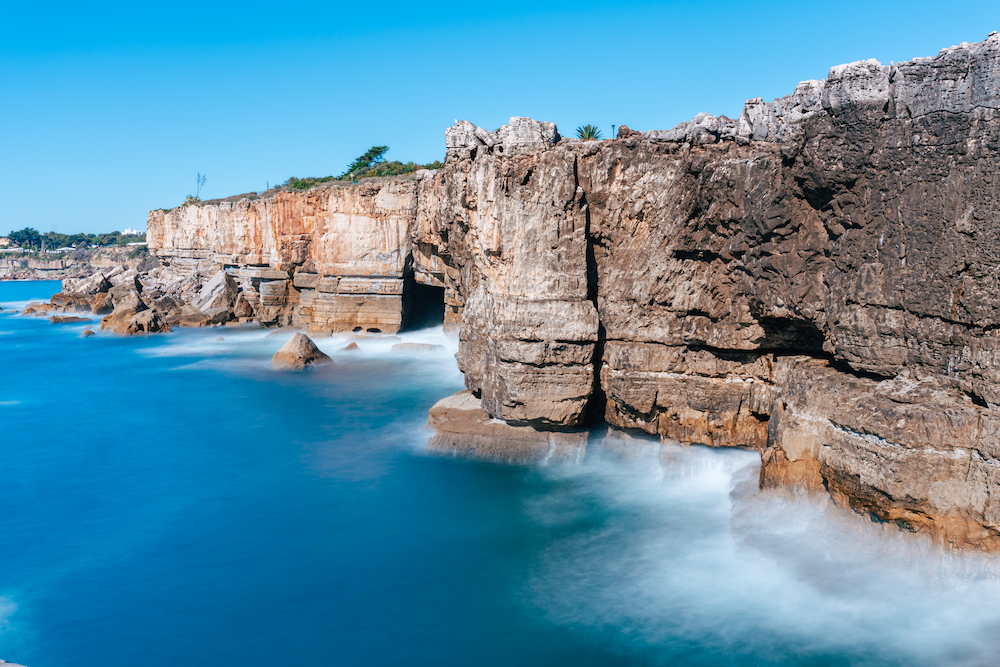
Long exposure photography on an iPhone or camera
Long exposure photography is one of the easiest ways to create dramatic, professional-looking images - especially of moving water, light trails or clouds.
The good news? You can create beautiful long exposure photos using either your iPhone or a camera - and it doesn’t have to be complicated.
Many people assume long exposure photography is highly technical and only for experienced photographers. But with the right approach (and a couple of simple settings), even beginners can achieve that soft, flowing “otherworldly” look.
If you’re using an iPhone, it’s surprisingly simple…
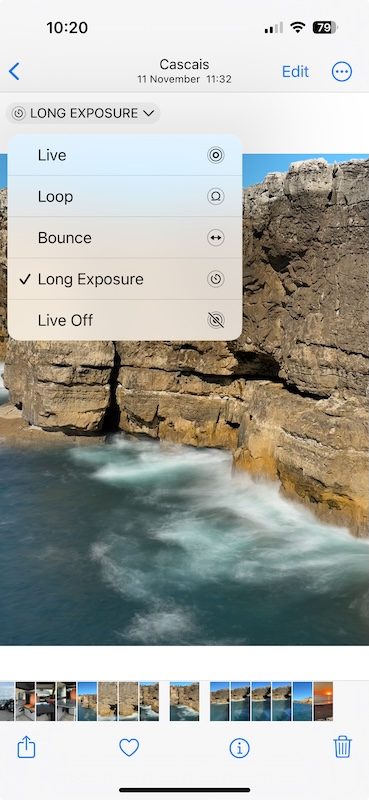
How to Take Long Exposure Photos on an iPhone
You can easily do long exposure photography by using Live Mode with an iPhone. Simply take the image (making sure Live Mode is on) and then find it in the photo gallery. Click the arrow next to the word 'Live' and select 'Long Exposure'. Within a few seconds the shot is transformed into a long exposure shot. It's that easy and for me, hands down one of the best features on an iPhone.
You don't need to use a tripod as the software stitches frames together to create the illusion of movement and then applies motion blur. Just remember to hold the phone steady before pressing the shutter button.
How to Do Long Exposure Photography with a Camera
If, however, like me, you still enjoy shooting with a camera as well, it is a little more complicated. Long exposure photography requires slow shutter speeds and that means you have to use a tripod. (If you're considering buying a tripod you should also read this post: A great tripod for beginners.)

Here's what settings I used for long exposure photography in this case
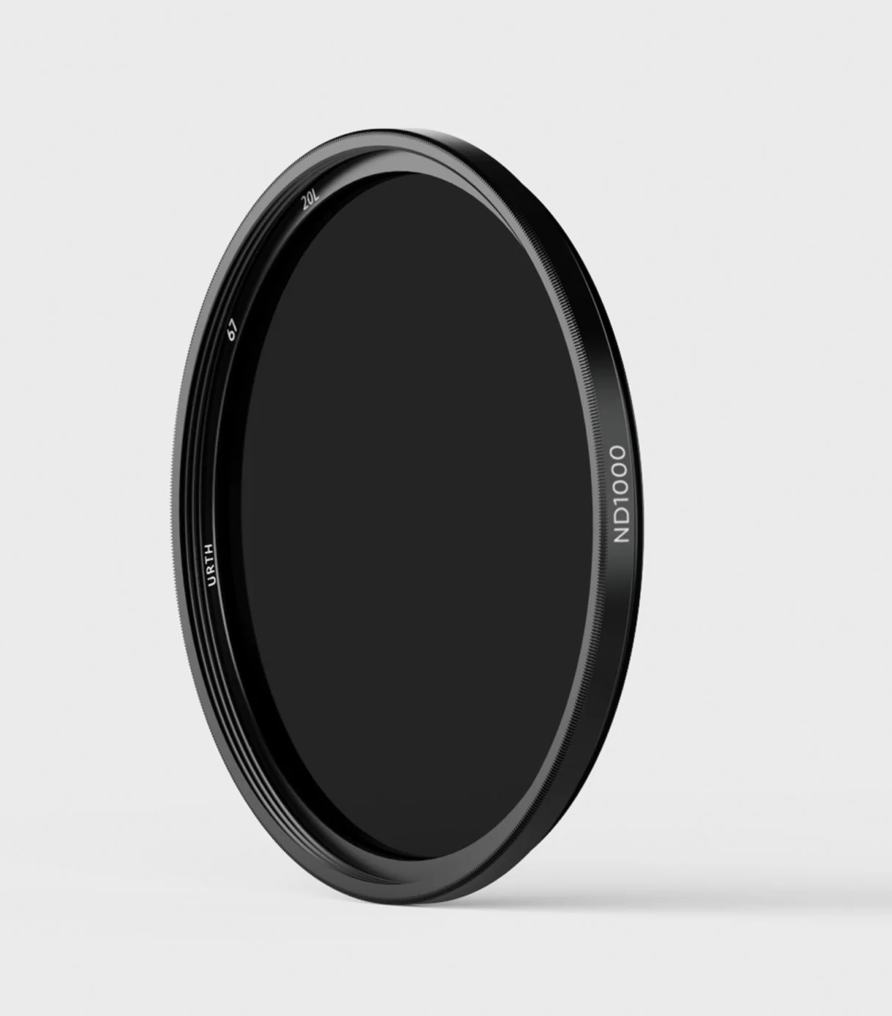
Slow shutter speeds pose another challenge - the image will be overexposed, particularly if it's a bright scene. The answer is to use a dark filter. This is where it can get confusing if it's your first time browsing filters. The easiest to get started with is a neutral density filter. These are available in different formats but I'd recommend using a screw-on circular neutral density filter (if you already have a UV/daylight filter on your lens you can just attach the neutral density filter on top of it). They also come in different strengths, starting at ND4 up to ND1000. They are measured in stops. You can use a 2-stop ND filter to block a small amount of light, or a 10-stop ND filter to block most of the light. The more stops of light your filter blocks, the longer shutter speed you can get use.
The longer shutter speed you use, the smoother the motion becomes. For landscape shots with moving water a shutter speed of 20 to 30 seconds is a good guide. I opted for a ND1000 filter (10-stop) from Urth. This filter is so dark that when you attach it to the lens, you can no longer see the scene you are shooting!
My Step by Step Process for Long Exposure Photography
Here's the steps I used to take the long exposure shot with my Sony ZV-E10 camera (a great little camera for travel):
- Mount the camera on the tripod.
- Compose your shot without the filter on the lens so that you can see what you're doing.
- You will need to shoot in Shutter Priority or Manual mode. Use a small aperture (around f20) to give a wide depth of field and to restrict the light. Set the ISO to 100. Set your shutter speed to whatever is required for the exposure. In my case it was 1/30.
- Use autofocus initially but then switch to manual focus, as the camera will not be able to focus automatically once the dark filter is in place.
- Set the self-timer or use a remote shutter. Switch off any stabilisation settings in the camera or lens. Also disable long exposure noise reduction.
- Now attach the filter and the only setting you need to change is the shutter speed. I used 30 seconds (30"). Take your shot and review it. Adjust the shutter speed if necessary to brighten or darken the image. There are apps available to help you calculate the settings if you prefer.
I found it tricky to nail the focus, so use focus peaking if you have it, and be careful that you don't change the focus when screwing the filter on.
It can take a few goes before you get the result you want, but once you've mastered the technique you will find long exposure photography rather addictive and be looking for great locations and compositions.
I first tried long exposure photography in 2017 and was very happy to get a lovely shot without using a filter. Have a read to see how I did it.
I cover techniques like this in my Phone Photography and Get Off Auto workshops at Share Your Story in Altrincham.
No comments yet.